Here are some tips and tricks on how to access and use ULS/N2Y
How to log in
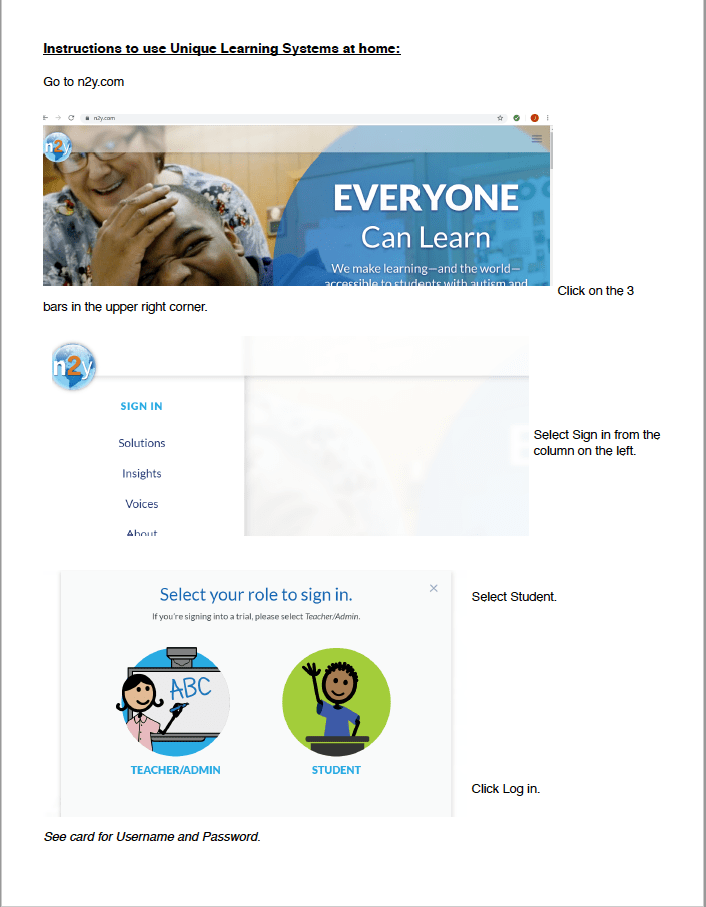
go to www.n2y.com
For computers the sign in button is located on the left hand side, all other devices you can click on the 3 horizontal lines and you should see sign in. Click sign in. Select Student. Enter your students personal information sent on Aeries. If you need it you can always email me. I will provide directions from N2Y as well as a video.
Visual
Video

Once you login click the orange snowflake
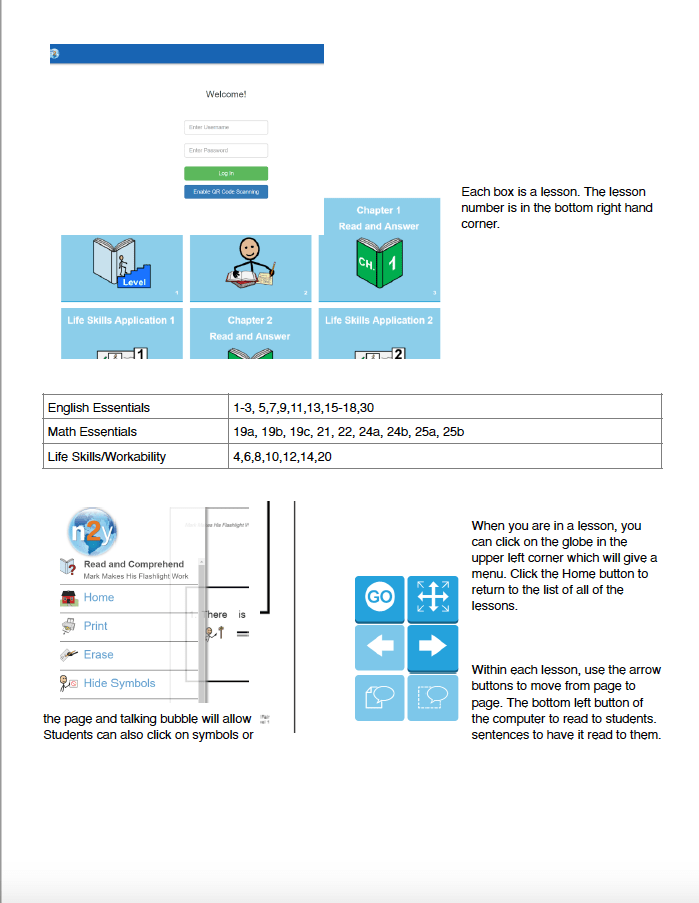
After you log in you will have access for the days assignments. You don’t have to press finish for me to see your progress. You can leave the assignment when you have answered all the questions. There will be new lessons daily. Some will repeat if you have already completed them you can use it as practice. So check in daily on N2Y.
*Don’t forget you can use the blue buttons at the bottom right hand corner to navigate the pages of the lesson quickly. You can also use the globe on the left hand upper corner and click HOME to return to the page with all the lessons for the day.

You can also access L3 by re logging in and clicking on the other logo
Here you can play a variety of games that are geared towards standards and IEP goals. You can play any and all the games. Have FUN!!
Students can now switch between ULS and L3 by clicking the globe in the top left hand corner. Click here to view video
 Learning Together