I know this might be a little new to you. So here are some helpful tips:
You can begin by going to the website click here (This will give you access to all the things I will describe below)
Or if you are on your phone you can go to the app store and download the various apps I suggest starting with outlook which is a blue envelope (here you can see the emails with communications from the school and your child could send emails)
Once you find your way to the source you want to use you will click sign in.
Use the 9 digit email that I sent to you on AERIES and your child’s password.
Now you will see multiple applications along the top with word documents your child has created.
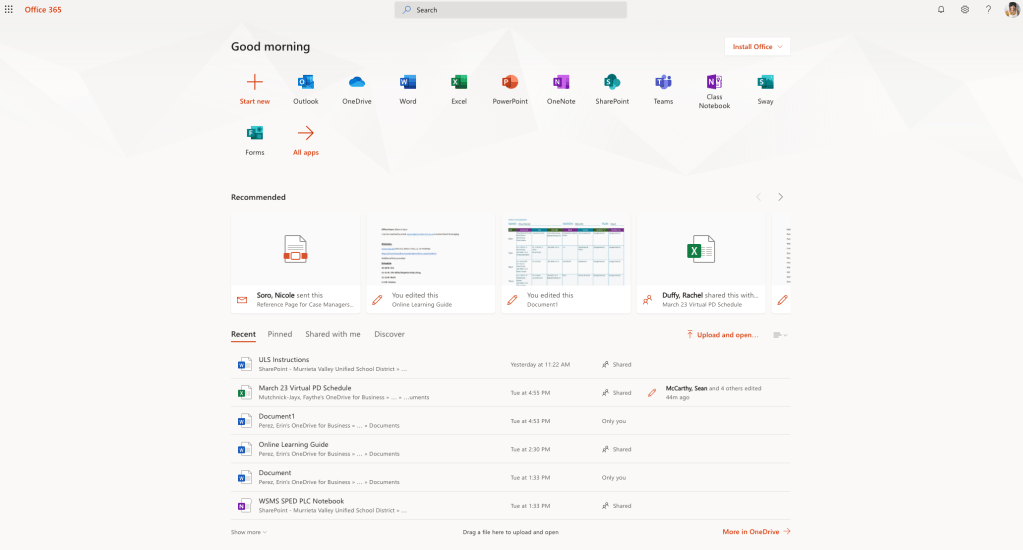
From left to right —>
Outlook- Email Send and Receive communications (send me a note)
OneDrive- Cloud space to save documents and easily attach to emails
Word- You can use this without having word on your device because it is internet based
That’s all your child needs to access. We aren’t using teams, but we could in the future. It would allow you better access to communication with me INSTEAD of AERIES. If we do your child will receive an email with a notification they have been invited.
This information is easily accessible from the homepage at the very bottom under Get In Touch
 Learning Together